Newnan, Georgia
The schedule that lived in a group text
The same pub again, this time for the roster: a manager building the week on a laptop, and staff who only ever see it on a phone.
The situation
The second internal tool for the same pub. Hourly staff across kitchen and front of house, on a schedule that changes every week and gets renegotiated between staff throughout it.
Two very different users: one manager who builds the week sitting down at a laptop, and a team who will only ever look at it on a phone, often on the way in.
Built for RPM Patio Pub & Grill.
What was actually wrong
- The real schedule was in a group text
- A spreadsheet or a printout is the published version; the group text is where it actually gets changed. Once those two disagree, the answer to "am I on Saturday" depends on who you ask, and the manager becomes the lookup service.
- Double-books are only found by people
- Putting the same person on two overlapping shifts is the easiest mistake to make in a grid and the hardest to spot in one. It is usually found by whoever does not get their break.
- Off-the-shelf scheduling assumes a salaried office
- The category is built around desk workers with company logins and email. This is hourly staff with personal phones, no company account, and a manager who is on the floor rather than at a desk — an app store install is a barrier, not a feature.
- Availability, time off and swaps arrive by whoever asks loudest
- When those three all come in as messages, they get handled in the order they were received rather than the order that matters, and there is no record of the decision afterwards.
What we built
- A week the manager builds and then publishes
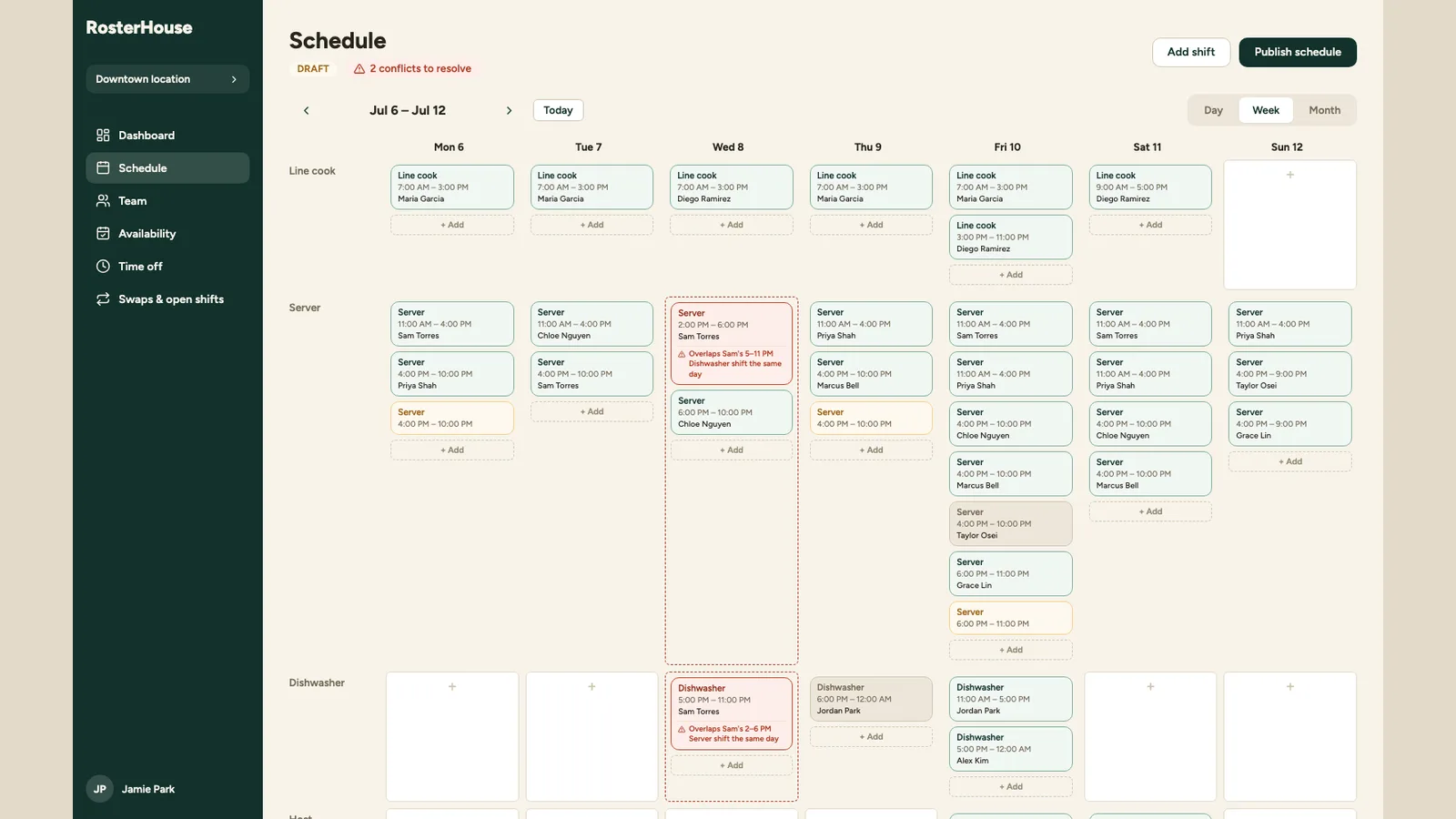
- Roles as rows, days as columns, shifts dragged into place — and an explicit draft state, so a half-finished week is not being read by staff as though it were final.
- Conflicts raised before publishing, not after
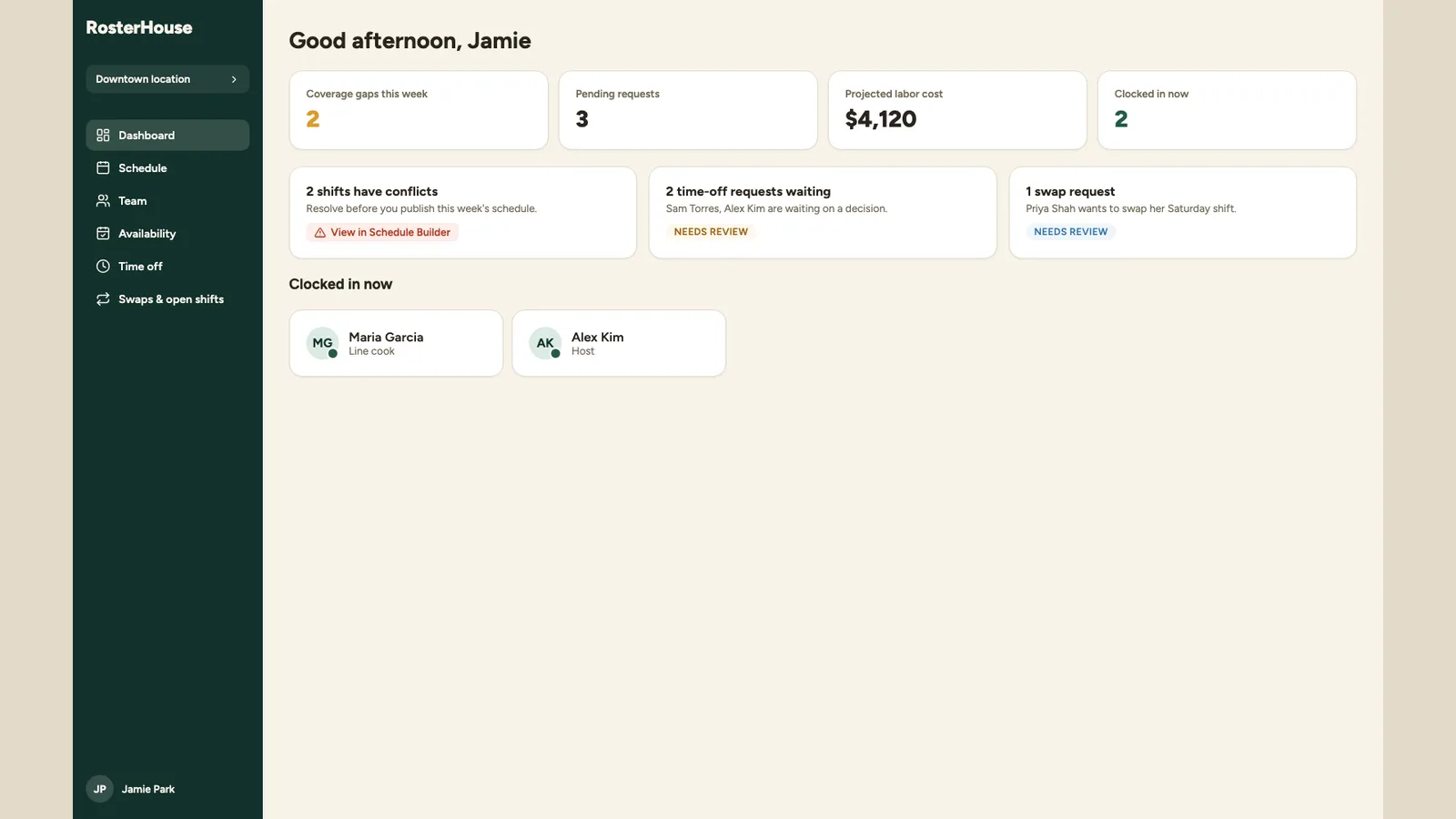
- An overlap is flagged on the shift that causes it, naming the other shift it collides with. The count sits next to the publish button, so a week with unresolved conflicts is a deliberate choice rather than an accident.
- A phone app that is a website
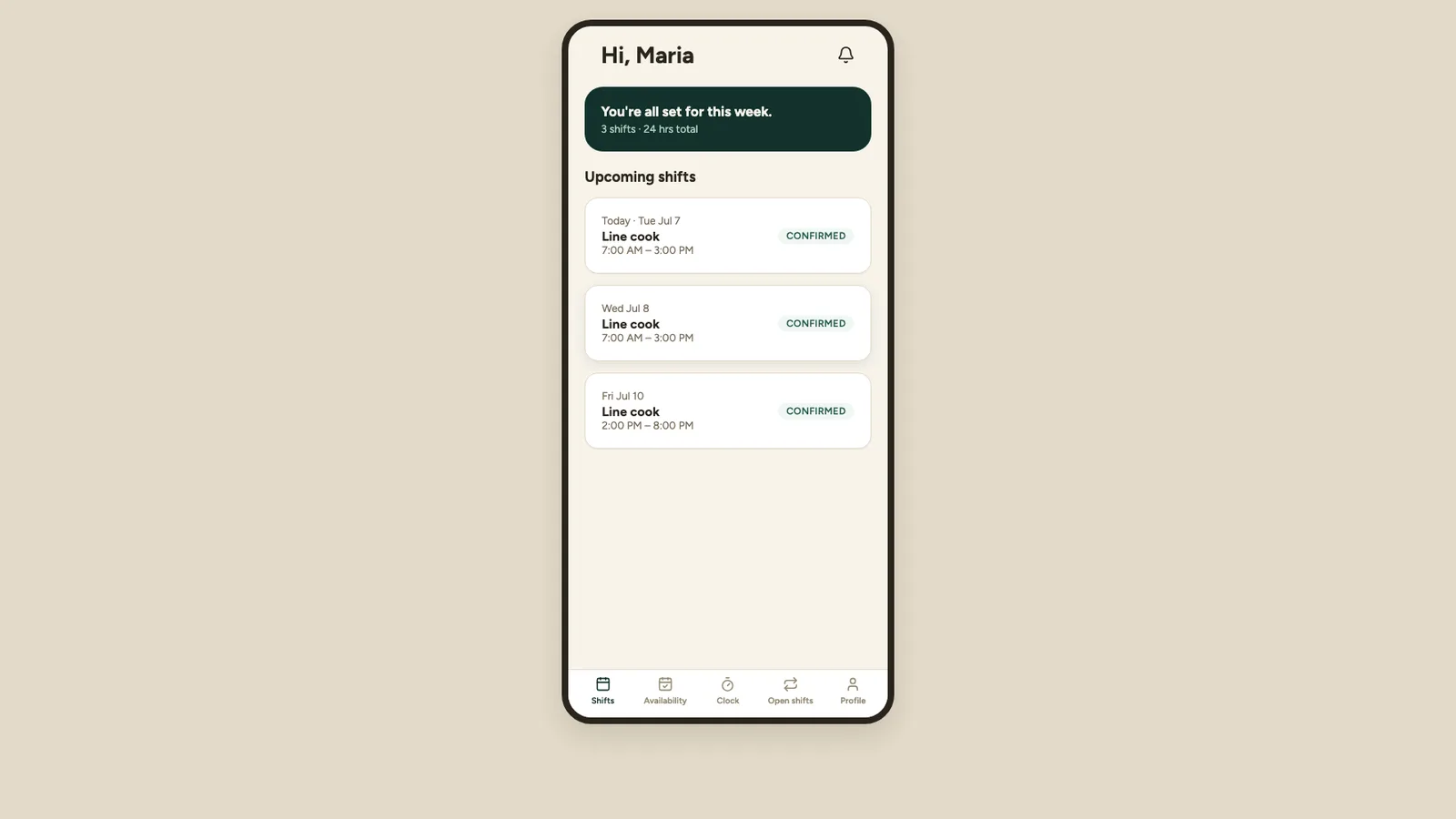
- Staff see their shifts, set availability, request time off, pick up open shifts and ask for swaps from mobile web. Nothing to install, and an invite link rather than an account they have to create.
- Clocking in where the work happens
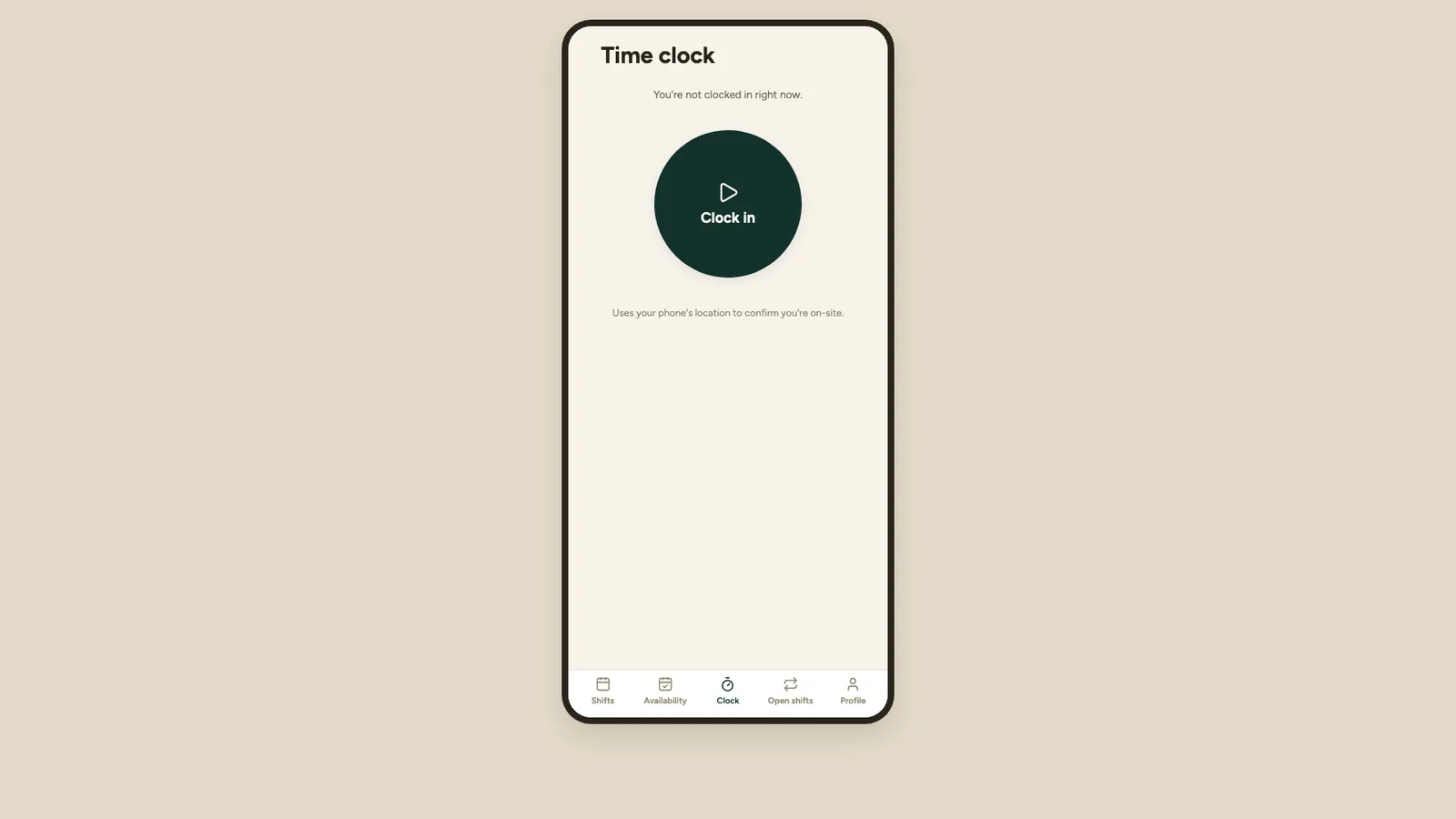
- Clock in and out from the phone, with location used to confirm the person is on site — which is what makes the timesheet worth trusting at the end of the week.
- Requests as a queue with a record
- Availability, time off and swaps arrive as things to approve rather than messages to remember, and the decision stays attached to the shift afterwards.
This engagement has no measured figures we can publish, so none are shown. We are happy to provide references on a call.